Process Description and POS Integration
The full POS integration guideline for paysafecash can be found here: Distributor POS integration Guideline
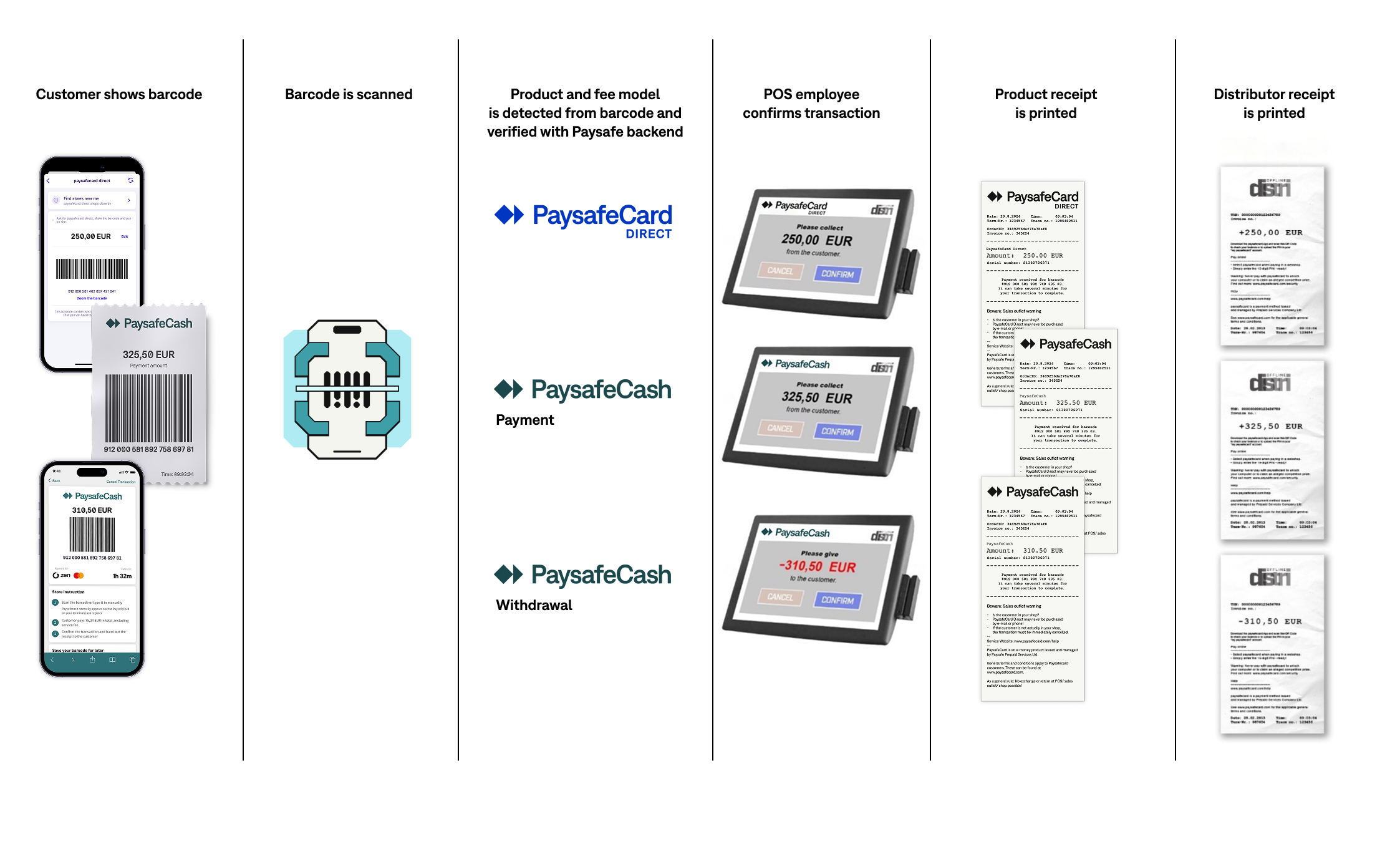
- The customer shows a barcode at a Point of Sale (POS)
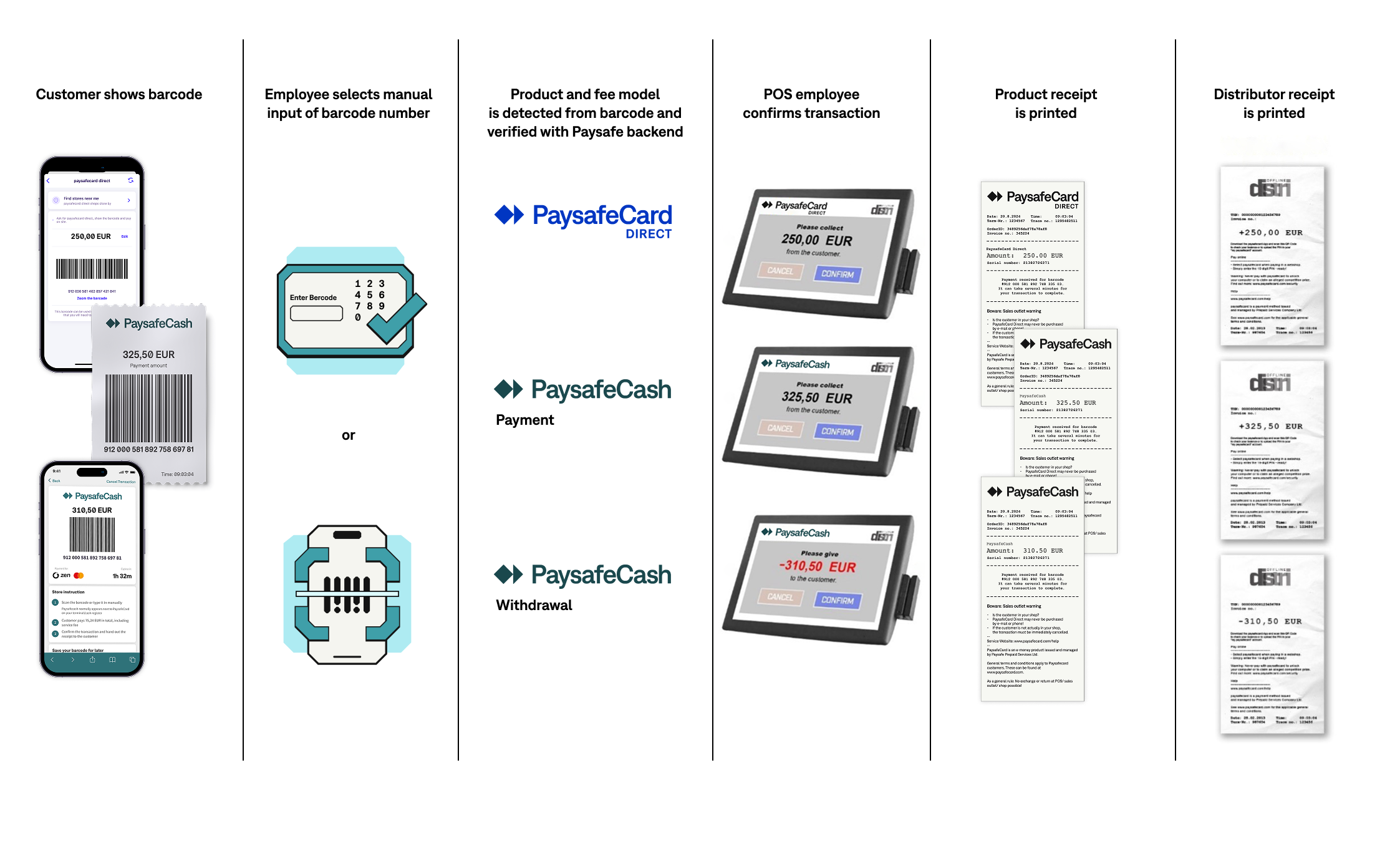
- The POS employee scans the barcode from the customer’s mobile phone or print-out (alternatively, enters the barcode number manually)
- Scanning the barcode triggers the order to be prepared
- The product and fee model is detected automatically from the barcode
- The POS employee confirms the transaction
- The voucher product and business partner receipts are printed with all the necessary information
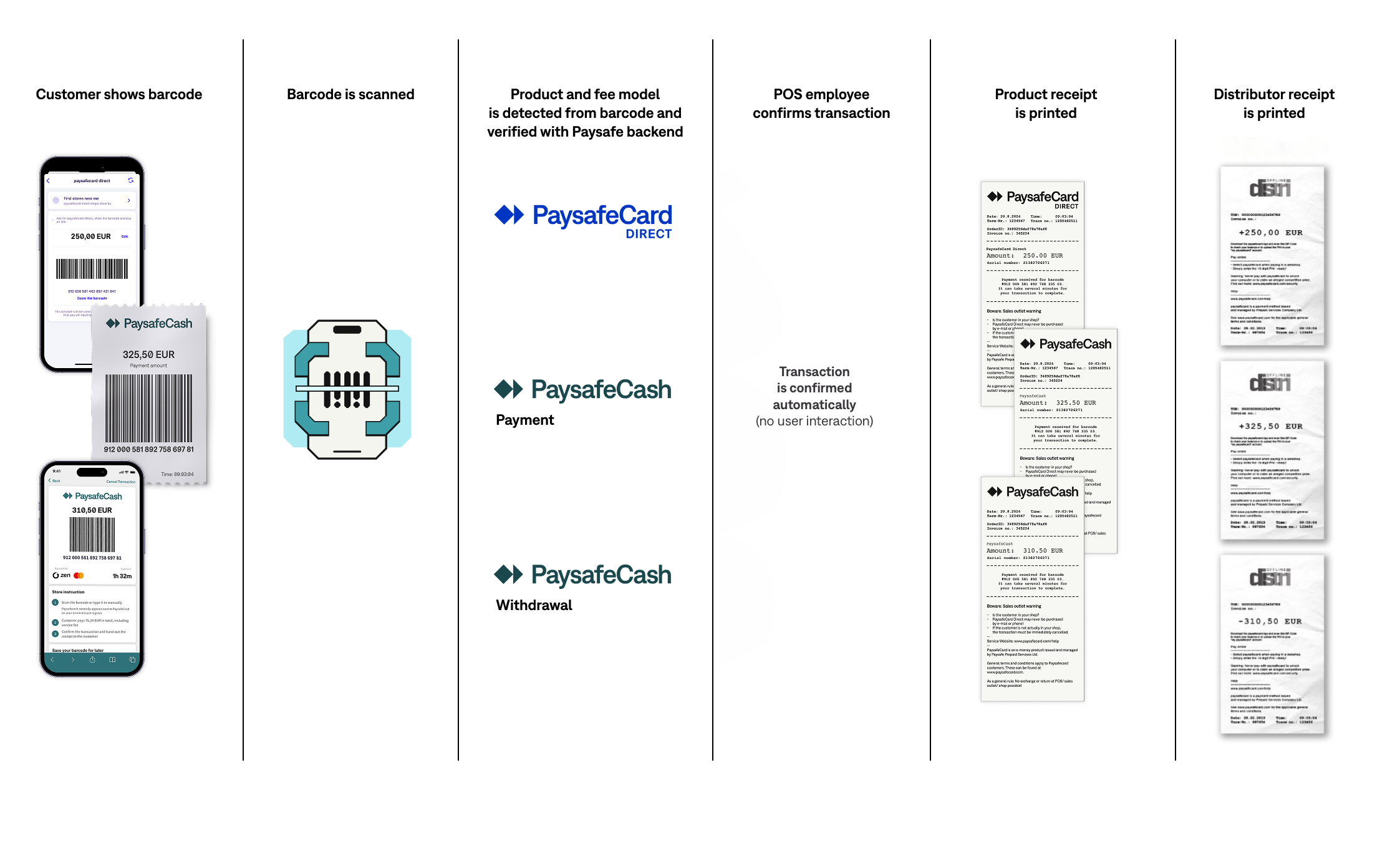
Alternative flow without confirmation screen:
Alternative flow with manual entry:
Scanning the Code 128 (Set C) Barcode
The customer will show a Code 128 barcode that needs to be scanned by the POS employee.
The barcode will be shown primarly on a mobile device (smartphone) or alternatively on a printed paper.
Note:
- The barcode does have printed numbers underneath in case the POS is unable to scan the barcode (for manual entry)
- The text underneath is split up in sections of 3 digits with a space as separator for easy reading.
Example Barcode and Parameters
 Product identifier (EAN-13): 9120005818927
Minimum transaction reference: 15684
Check digit: 4
| Parameter | Description |
|---|---|
Product identifier | The Product identifier (EAN-13 or different depending on the country) is added to barcode at the start. The PaysafeCard system is able to support different product identifier configurations/formats per country. |
Transaction reference (minimum 5) | This is a unique 5-digit minimum randomly generated transaction reference. By providing this reference, the PaysafeCard system validates it and knows to which customer the transaction belongs to. Note: This parameter can be increased up to 16 digits to avoid duplicates. |
Check digit (1) | Always the last digit from the barcode. This digit is for barcode number validation at the POS. |
viacash Barcode Parameters
If you also accept the viacash product, the barcode can have a different format.
- viacash barcodes can also use EAN-13 instead of Code 128, so the barcodes can be shorter
- viacash barcodes can be validated by checking the prefixes, see below
Check Digit Calculation
Step 1: A modulo 10 with a weight of 3 is used to calculate the check digit:
Digit position  |  1 |  2 |  3 |  4 |  5 |  6 |  7 |  8 |  9 | 10 | 11 | 12 | 13 | 14 | 15 | 16 | 17  | 18 | 19
Barcode digits  |  9 |  1 |  2 |  0 |  0 |  0 |  5 |  8 |  1 |  8 |  9 |  2 |  7 |  1 |  5 |  6 |  8  |  4 |  4
Multiply with   |  1 |  3 |  1 |  3 |  1 |  3 |  1 |  3 |  1 |  3 |  1 |  3 |  1 |  3 |  1 |  3 |  1  |  3 |  -
Result          |  9 |  3 |  2 |  0 |  0 |  0 |  5 | 24 |  1 | 24 |  9 |  6 |  7 |  3 |  5 | 18 |  8  | 12 |  -
Step 2: The sum of the results = 136
Step 3: The sums nearest or equal or higher multiple of 10 = 140
Step 4: The difference between this 2 numbers is the check digit: 140 - 136 = 4