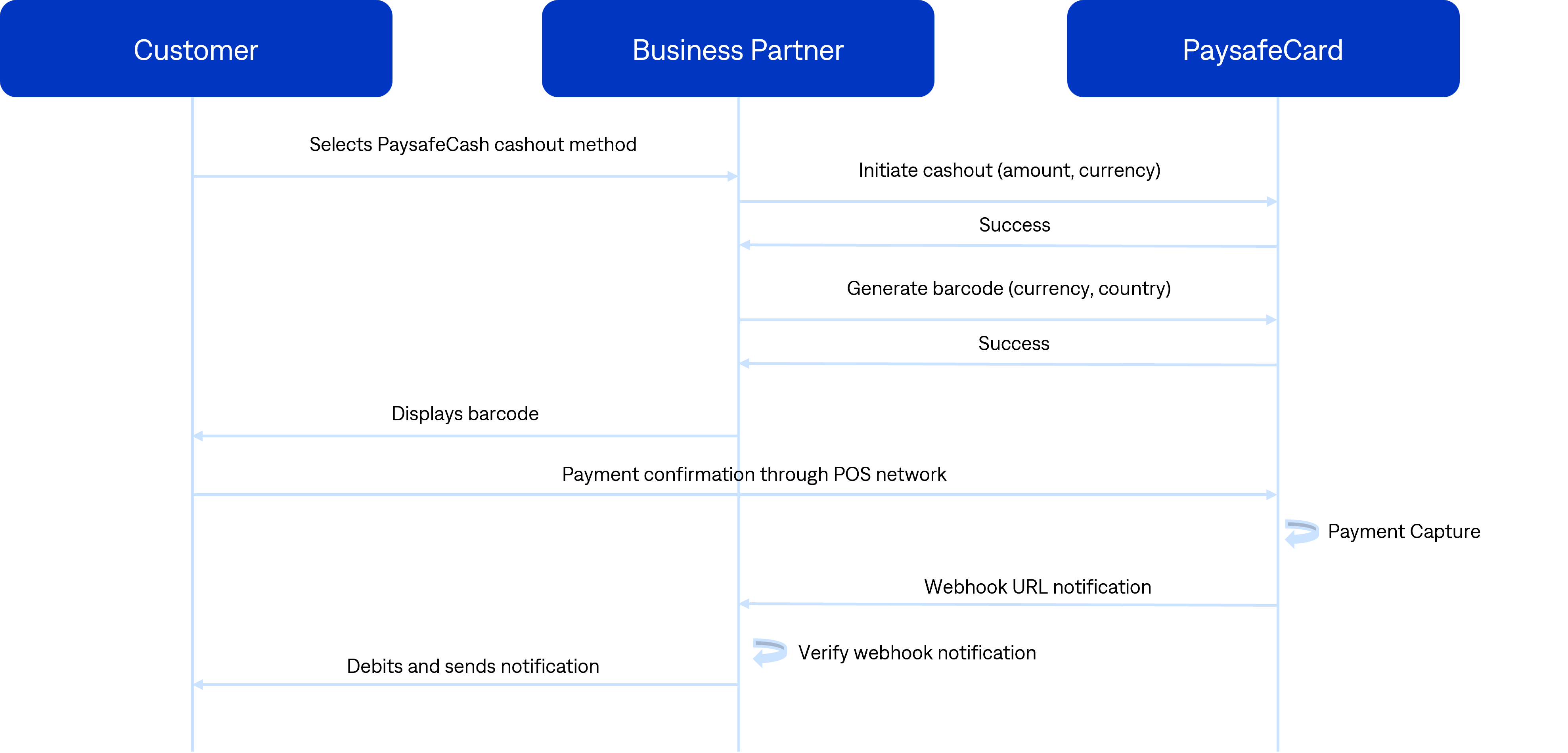
The customer selects the withdraw cash option using the PaysafeCash POS cashout method.
Initiate cashout: send POST request initiate cashout
If the response is HTTP 20x, the request was successful (status INITIATED).
If the response is HTTP 40x or 50x, show an error message to the customer: Transaction could not be initiated due to connection problems. If the problem persists, please contact our (business partner) support.
Generate barcode: send POST request generate barcode
The barcode is returned as part of the response.
The business partner displays the barcode to the customer.
The customer brings the barcode to a payment point, has it scanned and receives the transaction amount (status AUTHORIZED).
Webhook notification delivery: since the transaction is finalized at a payment point, PaysafeCard notifies the business partner (status SUCCESS).
The business partner verifies the webhook notification.
Upon successfully verifying the webhook notification, the business partner completes the transaction in its database and debits the customer account.
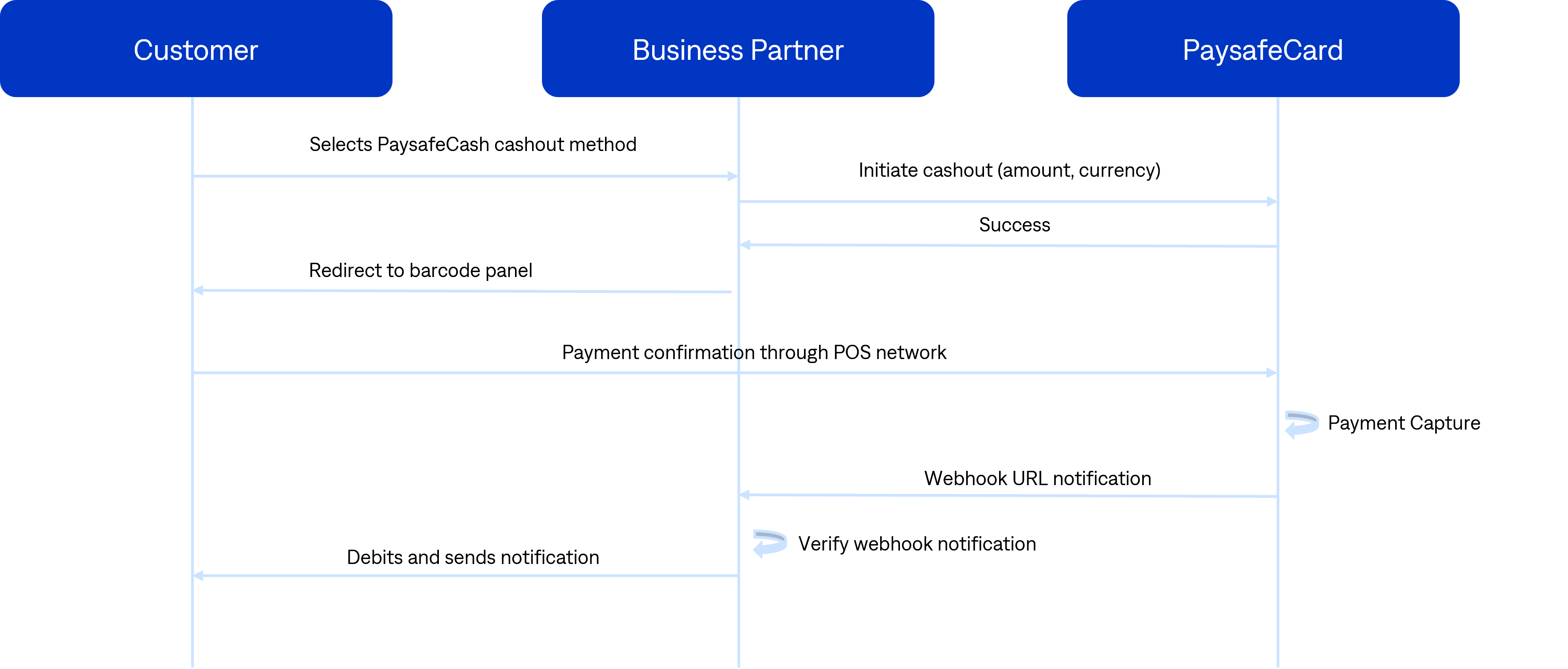
The customer selects the withdraw cash option using the PaysafeCash POS cashout method.
Initiate cashout: send POST request initiate cashout
If the response is HTTP 20x, redirect the customer to the barcode page (status INITIATED).
If the response is HTTP 40x or 50x, show an error message to the customer: Transaction could not be initiated due to connection problems. If the problem persists, please contact our (business partner) support.
Redirect the customer to the barcode application auth_url.
The customer brings the barcode to a payment point, has it scanned and receives the transaction amount (status AUTHORIZED).
Webhook notification delivery: since the transaction is finalized at a payment point, PaysafeCard notifies the business partner (status SUCCESS).
The business partner verifies the webhook notification.
Upon successfully verifying the webhook notification, the business partner completes the transaction in its database and debits the customer account.