Fiscal Code Usage
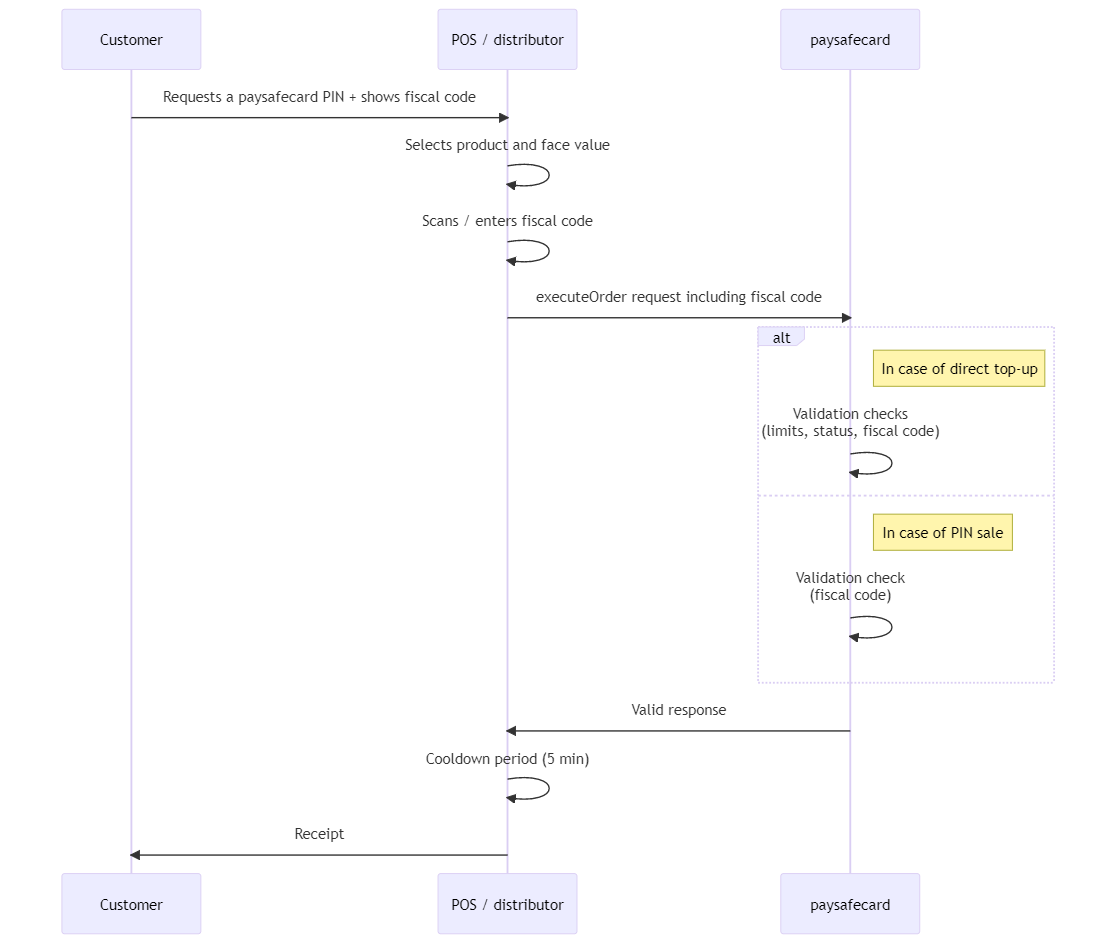
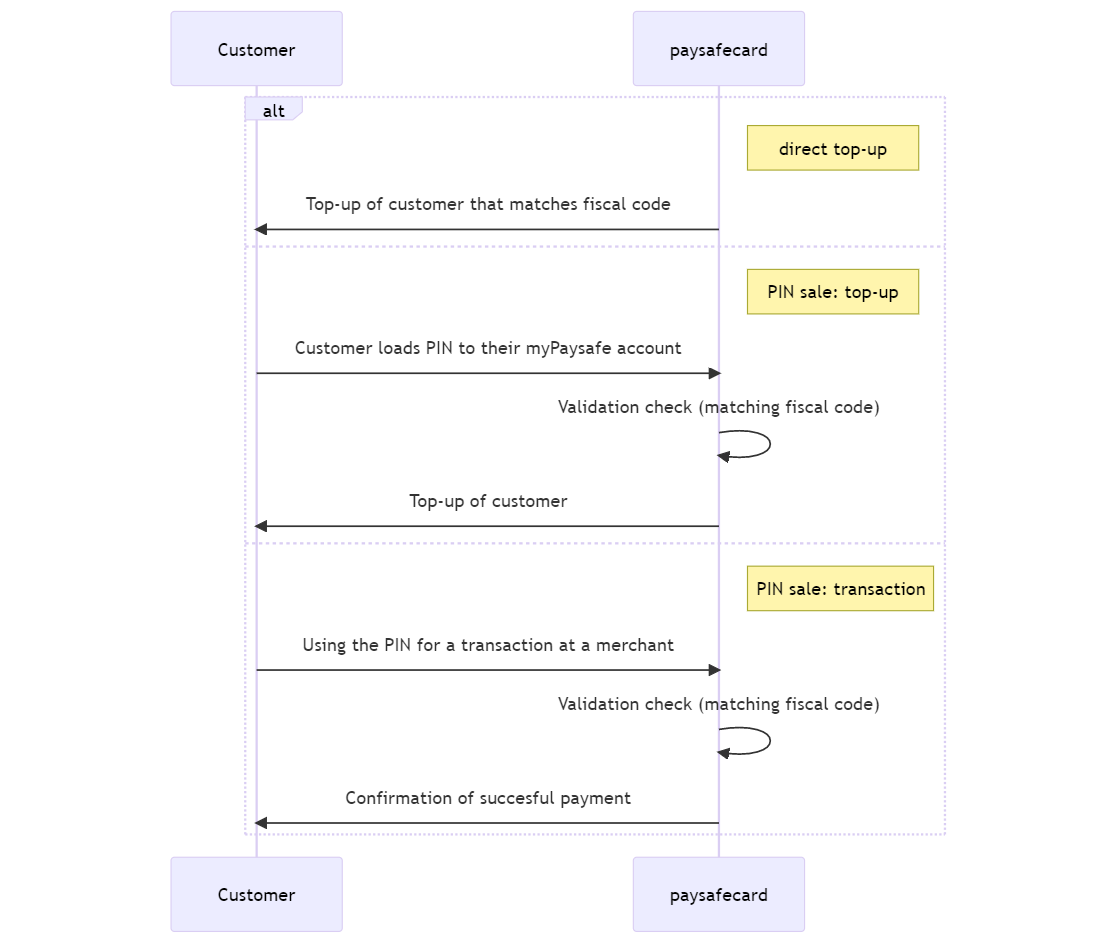
The Pin-on-Demand API supports orders where a fiscal code must be provided by the customer during sales processing at the POS. This can be done to either make a direct top-up to the customer’s account, or to print a PIN which is associated to the customer based on the fiscal code provided.
Flow and process description
- The customer requests a PaysafeCard PIN for an available face value at a POS and shows their fiscal code
- The POS employee selects the product and face value
- The POS employee scans/enters the customer fiscal code
- An
execute orderrequest is made to the PaysafeCard system, including the customer fiscal code - PaysafeCard performs validation checks and a valid response is returned (the status of the order is DELIVERED)
- 5.1 For direct top-up, this includes the customer’s credit limit, terminal limits, account status and fiscal code
- 5.2 For a normal PIN request, this only includes the fiscal code
- The voucher is printed by the business partner system containing the serial number, product, face value, currency, date, terminal ID and the T & C’s and handed out to the customer
- 6.1 For a PIN sale, the PIN is printed normally
- 6.2 For a direct top-up, no PIN is printed
- (Optional) A cancellation can be made via the
cancel orderrequest during the cooldown period (the status of the order is CANCELLED) - PaysafeCard performs validation checks (order status, order id, date) and a valid response is returned
- A cancellation receipt is printed by the business partner system and handed out to the customer
Note: If the amount is loaded directly into the customer PaysafeCard account, the implementation of cancel order
at the POS is mandatory to avoid possible fraud cases.
POS flow
Customer flow
Fiscal Code related Error Codes
Below, all additional error codes for the Pin-on-Demand REST API related to the fiscal code usage are listed with the corresponding description.
| Code | Number | Message |
|---|---|---|
illegal_customer_id_type | 10026 | CustomerId type CIVIL_NUMBER is not allowed in country XX. |
account_not_found_for_mobile | 3036 | No valid Account found with '0'='1'. |
transaction_limit_reached_sdd_upgrade_possible | 3052 | With this topup your balance would be higher than your remaining spending limit. |
civil_number_enforced_but_not_provided | 31621 | The CIVIL_NUMBER must be provided for this distributor. |
Other errors can be communicated to the customer as “general technical error”.
In general when one of these errors occur, the business partner should contact PaysafeCard for more information via integration@paysafecard.com if the account is not live.
For live accounts, techsupport@paysafecard.com should be contacted.